
Every independent artist faces the exact same heartbreak: you pour months of energy and budget into writing, recording, and mixing a stellar track, share a generic link-in-bio on your profiles, and watch your streaming numbers barely budge. Listeners click, get overwhelmed by choices, and leave before saving your music.
The problem is not your sound—it is your conversion funnel. Standard multi-link trees leak up to 80% of interested fans because they force users through endless menus and web-browser logins. To turn casual clicks into long-term Spotify followers, your distribution strategy must be intentional, frictionless, and omnichannel.
Here is your complete guide to placing your permanent 1-click smartlink (Love Button) across digital ecosystems and physical touchpoints for maximum conversion.
1. Digital Touchpoints: Own Your Social Real Estate
A smartlink should never remain static on a single profile. Treat your custom permanent link (lovebutton.app/your-name/) as your single source of truth across all social networks:
- The Primary Social Bio (Instagram, TikTok, X): Ditch multi-link trees that present 15 competing options. When running a release cycle, your primary bio link must focus on one single goal: library saves and Spotify artist follows. Because your link is permanent, you never need to update your bio URL on release days—simply refresh your catalog in your dashboard.
- YouTube Video Descriptions & Pinned Comments: YouTube accounts for massive passive discovery. On every official music video, lyric visualizer, or YouTube Short, place your 1-click smartlink on line one of the description before the “Show More” fold: « Save this track & follow our Spotify in 1 tap: lovebutton.app/artist ». Always duplicate the link in a pinned comment.
- SoundCloud, Bandcamp & Audiomack: Fans discovering your tracks on niche streaming sites are already engaged music lovers. Direct them to your main ecosystem by embedding your smartlink into track descriptions, purchase thank-you notes, and profile headers.
- Direct Fan Messaging (Discord, Telegram & Newsletters): When emailing your mailing list or posting an update in your artist Discord, a clean permalink allows subscribers on mobile or desktop to authenticate and follow your catalog in seconds.
2. On-Site Integration: Embed Your Smartlink on Your Official Website & EPK
If you run a website or host an Electronic Press Kit (EPK), sending visitors off-site to streaming platforms destroys your session duration. Using responsive iframe embeds, you can bring the 1-click follow and save experience directly into your own pages.
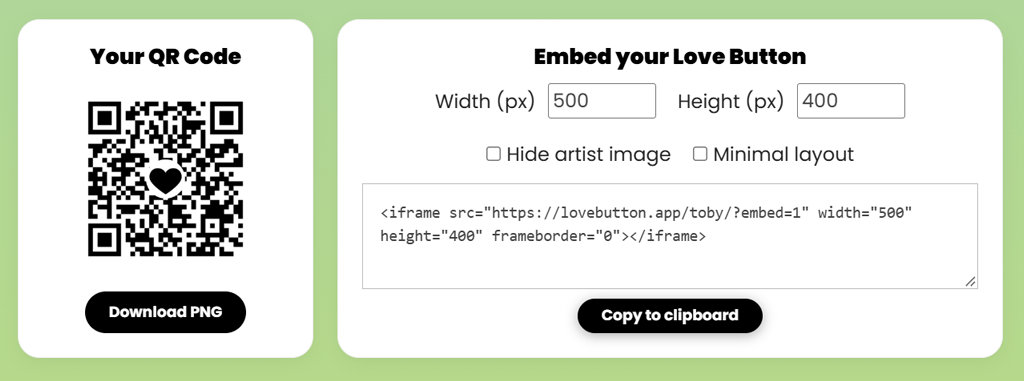
Your public link supports seamless embedding via clean parameters (?embed=1, &hideartist=1, or &minimal=1). Here is an example of a fully responsive embed block:
Here is what the responsive embed looks like in action:
This allows music bloggers, booking agents, and website visitors to authenticate with Spotify directly on your domain without breaking their browsing experience.
3. Guerrilla Offline Promotion: High-Impact QR Code Marketing
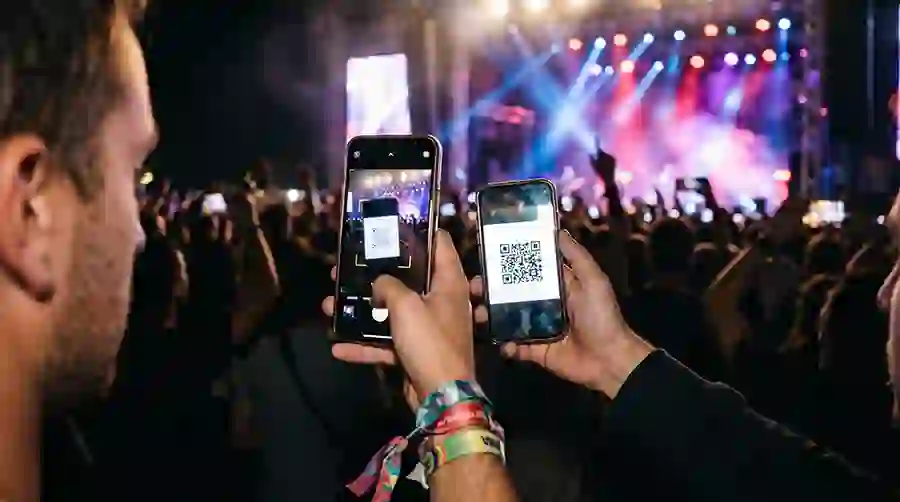
QR codes are no longer clunky novelties; they represent natural mobile behavior. When linked to an instant-action page, physical promotional materials become powerful conversion engines.
| Asset Type | Strategic Location | Call to Action (CTA) |
|---|---|---|
| Gig Posters & Flyers | Venue entrance, bar tops, restroom mirrors | « Scan to save tonight’s live setlist directly to your Spotify library. » |
| Merchandise Packaging | T-shirt hangtags, vinyl sleeves, cassette inlays | « Scan to follow our private tour playlist & upcoming unreleased demos. » |
| Street Stickers | Indie venues, record store boards, rehearsal spaces | Minimalist: High-contrast QR code + your artist icon + « 1-Tap Save ». |
| Stage Banners & Kick Drums | Visible from the audience floor during gigs | « Love this track? Scan to follow our profile before the next song starts. » |
Pro Tip: Always export high-resolution PNG or vector QR codes from your dashboard. Always test your physical print proofs under dim bar lighting before ordering large print batches.
4. The Tastemaker Playbook: Curation & Submission Pitching
If you run a playlist brand, an indie label, or a music blog, single-artist limitations do not fit your business. Using Curator Mode, you can transform your smartlink into a comprehensive curation and submission hub:
- Showcase Up to 10 Spotify Playlists: Give listeners access to your entire thematic curation network in one place.
- Cross-Catalog Mixing: Aggregate singles, albums, and tracks from different artists, bands, and labels without restrictions.
- Integrated Pitch Hub: Enable the built-in demo submission button directly on your page. Connect up to 8 submission channels (SubmitHub, Groover, Playlist Push, Musosoup, DailyPlaylists, SoundCampaign, Google Forms, and direct email) and monitor submission clicks directly in your analytics dashboard.
Summary Checklist for Your Next Release
- Claim and memorize your custom permalink (
lovebutton.app/artist/). - Update your primary social bios across Instagram, TikTok, and YouTube.
- Place your link on line one of all upcoming music video descriptions.
- Embed the responsive 1-click widget on your official website and EPK.
- Print high-res QR codes on gig posters, stickers, and merch packaging.
- Monitor your first-party analytics dashboard to identify your top listener countries and referral channels.